


A wallpaper can shape how your PC feels before you open a game, launch an app, or start your first task of the day.
On a high-resolution display, the difference is easy to see. A properly sized 4K wallpaper keeps details sharp, while a well-designed aesthetic wallpaper can bring the colors, lighting, and personality of your setup together without making the screen feel cluttered.
The right choice depends on more than finding an image you like. Your monitor resolution, aspect ratio, screen layout, and preference for static or dynamic wallpapers all affect how a background looks in everyday use.
With Razer Axon, you can explore free 4K and aesthetic wallpapers created for modern PCs, then preview and apply them directly from one app.
Start with Your Screen and Setup
Before choosing a wallpaper, start with the display it will appear on.
For a 4K monitor, look for wallpapers rendered at 3840 × 2160 so the image can fill the screen without obvious blurring or stretching. Lower-resolution images may still work, but fine details can lose clarity when enlarged across a higher-resolution display.
Aspect ratio matters too. A standard 16:9 wallpaper may crop differently on an ultrawide monitor, while multi-monitor setups may need wider images designed to span more than one screen. Matching both the resolution and aspect ratio helps preserve the original composition.
It is also worth thinking about how you use your screen. If you keep many shortcuts visible, choose a wallpaper with clear negative space around your usual icon positions. If most of your time is spent inside full-screen apps, you may prefer a bolder image that makes more of an impact whenever the desktop is visible.
Color can help connect the wallpaper to the rest of your setup. A darker background may suit a low-light battlestation, while softer gradients or brighter designs can make a work and gaming space feel more open.
Choose an Aesthetic That Fits Your Desktop
Aesthetic wallpapers cover a wide range of styles, from quiet minimalist scenes to bold digital designs. The best option is the one that feels natural alongside the rest of your setup.
Nature-inspired wallpapers work well for calmer desktops. Open skies and misty mountains can add atmosphere while leaving enough visual space for icons and windows.
Abstract wallpapers offer more flexibility. A gradient or set of clean geometric shapes can add depth to the screen without tying the design to a specific game, character, or environment.
Anime wallpapers are another popular choice, ranging from minimalist landscapes to detailed character artwork. The right design can add personality to your desktop while keeping icons and windows easy to see.
Pastel and Y2K-inspired aesthetics take a more expressive approach. Soft pinks and lavenders can create a lighter look, while chrome elements, bold typography, and retro digital details can bring in early-2000s nostalgia.
For darker setups, black, charcoal, and muted cityscapes can blend naturally with dark mode interfaces and RGB lighting. These wallpapers work best when the composition still leaves desktop elements easy to read.
Choose Between Static and Dynamic Wallpapers
Static and dynamic wallpapers can create very different desktop experiences.
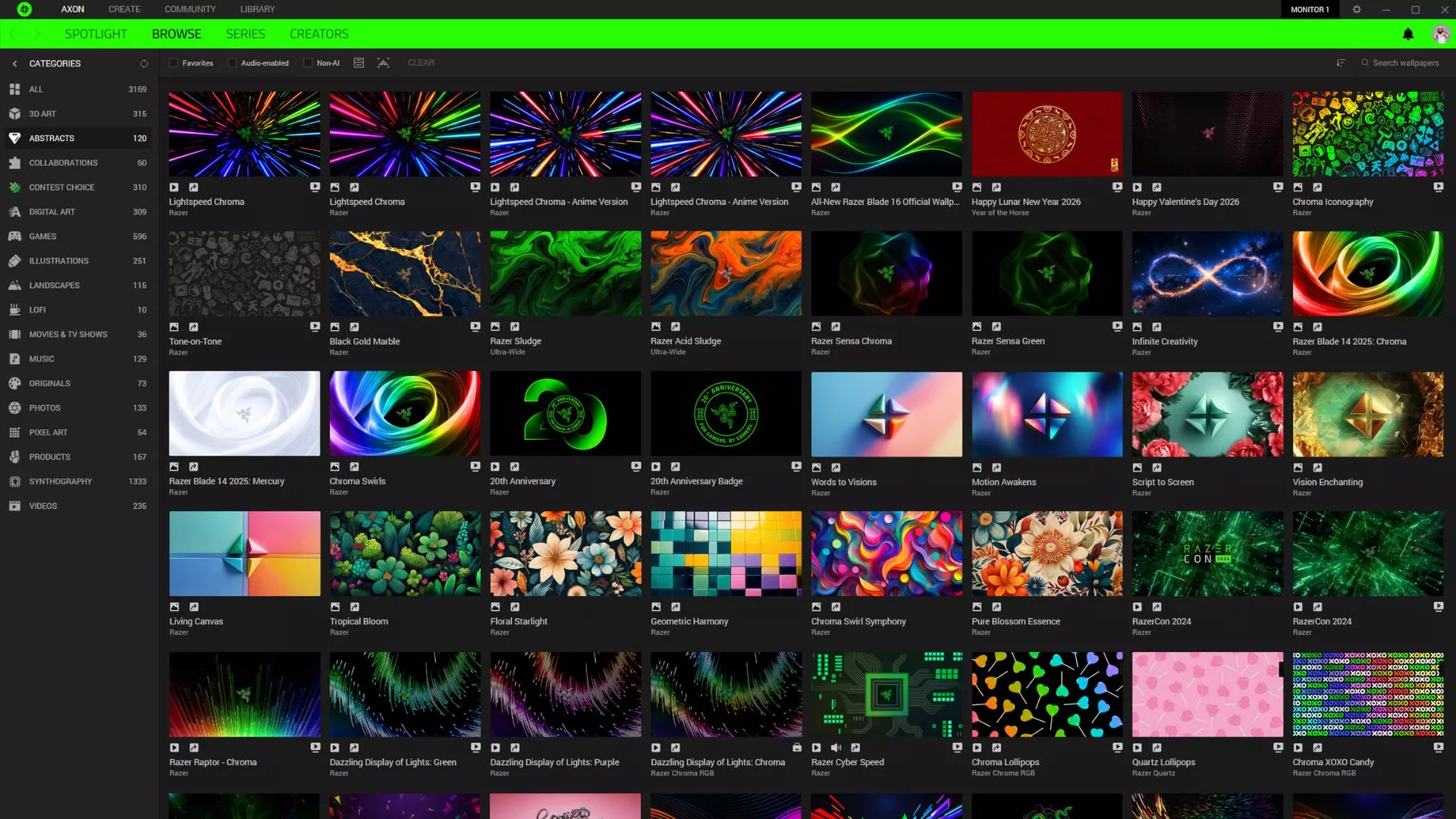
Static wallpapers are simple, consistent, and easy to use across a wide range of systems. They are ideal when you want a clean background that stays visually steady while you work, browse, or play.
Razer Abstracts offers static wallpaper designs focused on composition, color, and high-resolution detail. These wallpapers suit users who want a polished desktop without motion, audio, or additional effects.
Dynamic wallpapers introduce animation through effects such as shifting light, environmental movement, particles, or seamless loops. The movement should support the visual without competing with whatever you are doing on-screen.
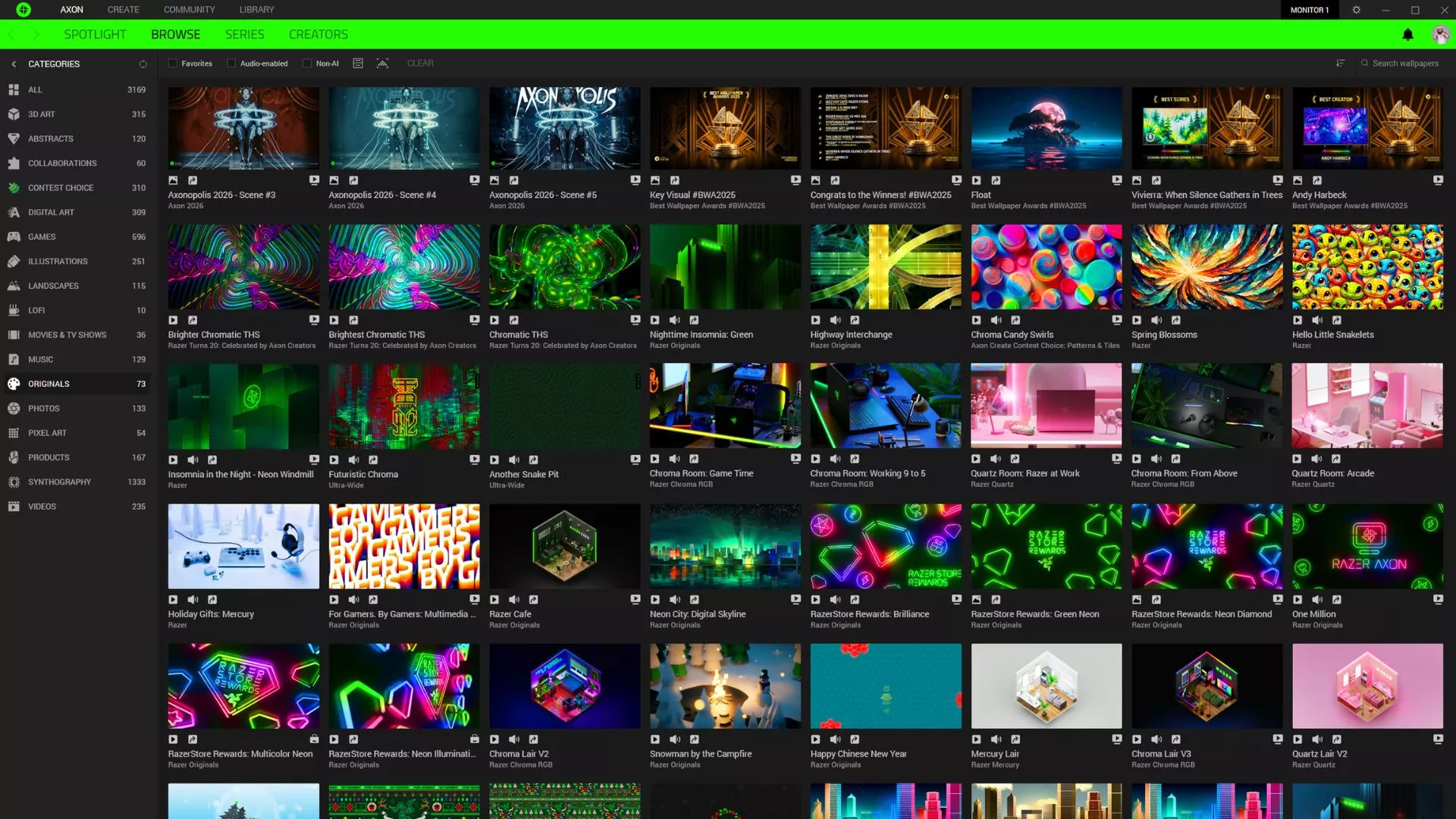
Razer Originals expands the experience with dynamic wallpapers that can include audio and synchronized Razer Chroma RGB effects. On supported setups, this allows the visuals on-screen to extend into the lighting around your desk, creating a more connected ambient effect.
Your choice comes down to how much movement you want in the background. A static wallpaper keeps the desktop focused, while a dynamic wallpaper can add more atmosphere when you are between games or showing off your setup.
Explore Free 4K and Aesthetic Wallpapers with Razer Axon
Searching for wallpapers across different websites often means dealing with inconsistent image quality, incorrect dimensions, and manual resizing.
Razer Axon brings static and dynamic wallpapers together in one place, with collections designed for PCs. You can preview a wallpaper before applying it and explore options for high-resolution displays.
To get started:
- Download and install Razer Axon.
- Browse the available wallpaper collections.
- Choose between static and dynamic designs.
- Preview the wallpaper on your screen.
- Apply it directly through the app.
Razer Axon handles the application process, making it easier to switch between different looks without manually downloading and adjusting individual files.
Find a Wallpaper That Feels Part of Your Setup
A good wallpaper should feel natural on your screen and fit the way you use your PC.
That could mean a clean 4K abstract design that keeps icons easy to find, a calm landscape that gives your workspace more breathing room, or a dynamic Razer Original that brings movement, audio, and Razer Chroma RGB into the experience.
With free static and dynamic wallpapers available through Razer Axon, you can explore different styles and find a background that feels at home on your PC.
Download Razer Axon and find the wallpaper that fits your setup.
